Client
Tomahawk Restoration Services
A dated Word template and a handwriting-driven, error-prone process — reimagined as one branded, interactive document that fills itself from the lead, calculates as you type, and files itself.
Tomahawk Restoration is a small restoration and carpentry contractor in Southwick, Massachusetts. Every job starts with a quote and ends with an invoice — but both were produced from a single aging Word template, hand-copied job by job, and stitched together across handwriting, texts, and email.
I redesigned the entire artifact and the workflow around it. The result is a single interactive template that toggles between Quote and Invoice, pulls legible job details straight from the incoming lead, totals line items automatically, and saves a correctly-named PDF to the right folder — all without leaving the page. And for the first time, the customer's own account of the job — in their words — travels onto the finished document instead of vanishing after a single read.
Producing a single quote meant moving one job's details through five apps and two people — and the weakest link was a photo of handwritten notes.
The principal wrote job and contact details by hand and texted a photo to the admin, who re-typed everything. Transcription errors were common — most damaging on the customer's email address, which could misdeliver the quote entirely.
Quotes and invoices were saved as distinct files (a trailing Q or I in the filename), but the invoice was still created by manually reopening a quote, swapping the header, and re-saving — repetitive and easy to get wrong.
Every document was hand-named, saved to OneDrive, re-exported as a PDF to the same place, then attached in Gmail. Each manual step was a chance for a misfiled or mis-named file.
The template was a pale-blue Office default with a small logo — it under-sold a company whose whole pitch is quality workmanship, reliability, and trust.
Six steps became five — but the real win was removing the two riskiest steps entirely: handwriting and re-typing.
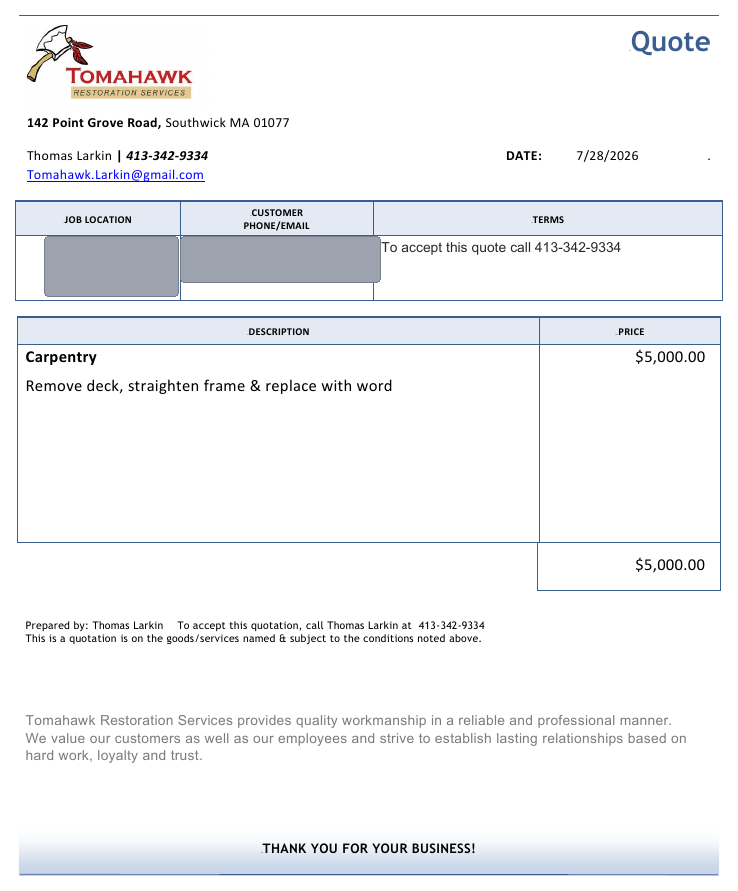
The same job — a porch repair — shown in the old template and the new one. Bigger logo, Tomahawk red and gold, a confident wordmark, and a cleaner information hierarchy.
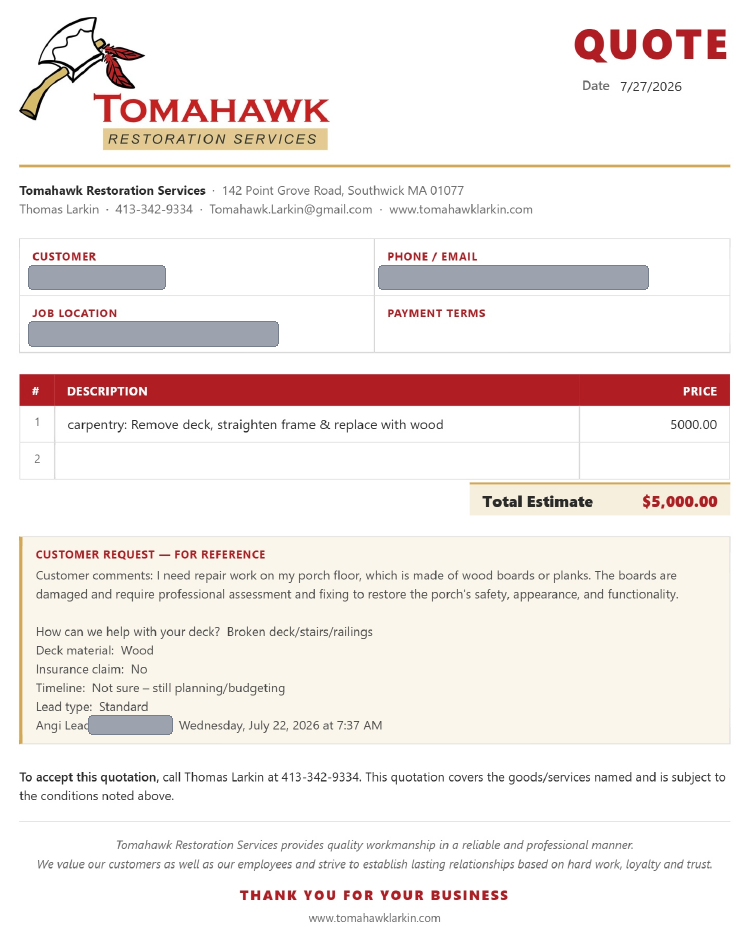
Instead of reopening and reworking a quote, the admin flips one switch. The header, totals label, and payment terms update automatically — then it saves as a distinct …Q or …I PDF.
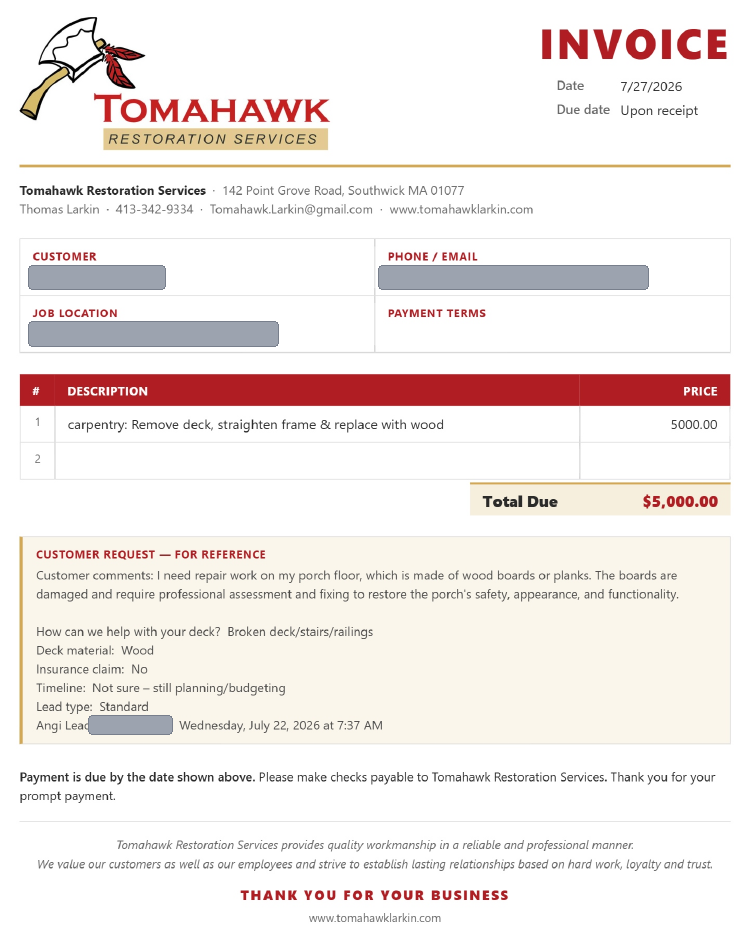
One source document produces both, so an invoice is never re-built by hand from a quote.
Legible lead data — comments, deck questions, material, timeline, lead number — is captured verbatim on the quote and invoice, so nothing is re-typed from handwriting.
Every field is editable in place; line items add and total automatically. No formulas to break.
Saves a correctly-named PDF to the chosen Tomahawk folder on first pick, then remembers it — no manual naming or navigating.
Real logo scale, Tomahawk red and gold, and a structured customer grid replace the generic Office theme.
The whole tool is one HTML file that runs in any browser — nothing to install, license, or subscribe to.
steps to send a quote, with the two riskiest — handwriting and re-typing — removed entirely.
hand-transcribed email addresses on lead jobs; details flow straight from the source.
file to maintain — replacing a Word template plus the manual invoice-rework routine.
The Angi lead section — a brand-new benefit. The biggest win wasn't visual, it was structural. Every job begins with the customer explaining the problem in their own words; in the old process that description was read once and thrown away. The redesign carries it forward, verbatim, onto the quote and invoice — so the field crew, the office, and the customer all work from the same original request.
And by pulling contact details out of the legible lead instead of a photo of handwriting, the single most expensive error — a wrong email address on a $5,000 quote — simply can't happen anymore.
The most useful move was treating this as a process problem wearing a document's clothes. A prettier template alone wouldn't have touched the real cost — the error-prone hop from handwriting to keyboard. Mapping the whole path from lead to sent PDF is what surfaced where design could actually remove risk, not just decorate it.
Building the solution as a single self-contained HTML file kept it right-sized for a small business: no new software, no per-seat cost, no training curve. Next, I'd explore capturing field notes digitally at the source so even non-lead jobs skip handwriting, plus light validation on the email field as a final safety net.